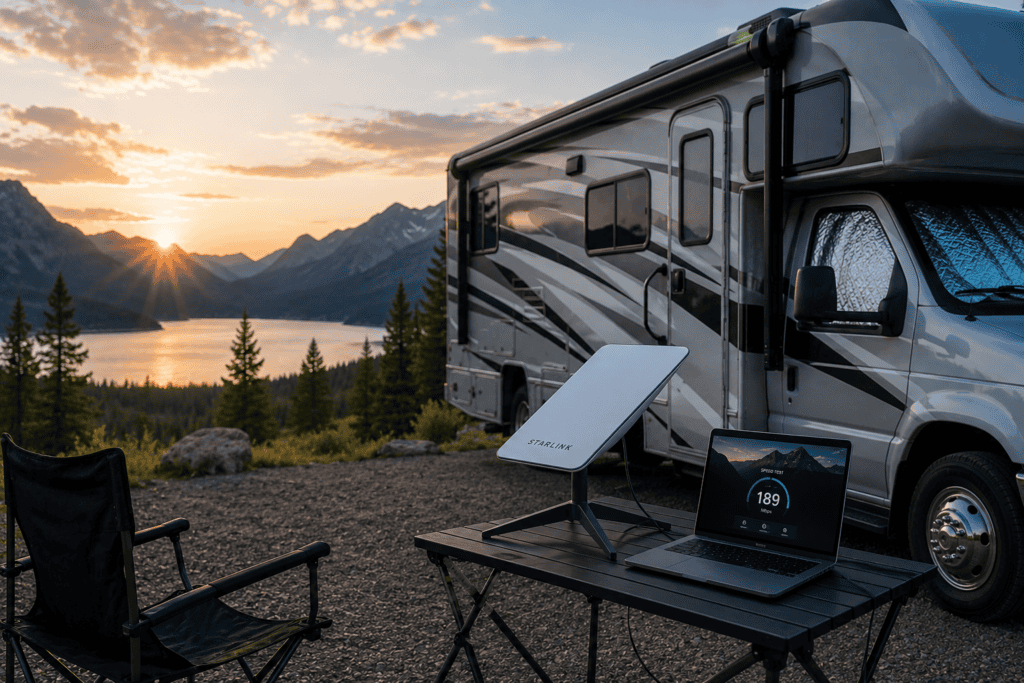
Starlink is the best internet for RVers who travel beyond reliable cell coverage: it delivers real high-speed internet almost anywhere with a clear view of the sky. The RV service is called Starlink Roam, and it runs about $50 a month for a capped plan or about $165 a month for unlimited data, plus a one-time dish that starts around $300.
Before Starlink, staying connected off the beaten path meant chasing cell signal and hoping for the best. Now a small dish gives you streaming, video calls, and remote work from campsites that never had usable internet.
It is not the right answer for everyone, and the plans change often. Here is how Starlink Roam works, which dish to buy, what it really costs, and how to set it up in your rig.
What is Starlink Roam?
Starlink is satellite internet from SpaceX, delivered by thousands of low-orbit satellites rather than the single distant satellite older services used. That low orbit is why it is fast and responsive enough for video calls, unlike old satellite internet.
Roam is the plan built for travel. Unlike the home plan, which is tied to one address, Roam works wherever you take it across your continent, which is exactly what an RVer needs.
The one hard requirement is a clear view of the sky. The dish talks to satellites overhead, so heavy tree cover or a canyon wall can interrupt the signal. In the open, it just works.
Which Starlink dish should you get: Standard or Mini?
Two dishes make sense for RVers, and the right one comes down to size, power, and price. Both are designed to be set up while parked.
| Standard dish | Starlink Mini | |
|---|---|---|
| Price (one-time) | About $300 to $350 | About $250 to $600, often on sale |
| Size | Larger, needs a stand or mount | Compact, packs flat, built-in wifi |
| Power draw | Higher (roughly 50 to 75 watts) | Lower (roughly 25 to 40 watts) |
| Best for | A steady home base with more power | Portability and boondocking on a budget of power |
For most RVers, especially anyone who boondocks and watches their battery use, the Starlink Mini is the better pick. It is small, packs away easily, has wifi built in, and sips far less power, which matters when you run it off solar and batteries.
The Standard dish makes sense if you have plenty of power and want a fixed setup at camp. Neither is meant for use while driving, which we cover below.
How much does Starlink for an RV cost?
There are two costs: the dish you buy once, and the plan you pay monthly. The plans come in a capped tier and an unlimited tier, with pricier options for worldwide travel.
| Plan | Data | Approx. price |
|---|---|---|
| Roam capped (your home continent) | A set amount, then pay per GB | About $50 a month |
| Roam Unlimited (your home continent) | Unlimited | About $165 a month |
| Roam Global (worldwide) | Capped or unlimited | About $200 to $400 a month |
The best part for RVers: you can pause the service when you are parked at home and reactivate it when you travel, with no cancellation fee. Seasonal campers only pay for the months they are on the road.
Can you use Starlink while driving?
Mostly, no, and this trips people up. The Standard dish and the Mini are designed to be set up when you are parked, not to run while the rig is moving down the highway.
Only Starlink’s Flat High Performance dish, which costs around $2,500, is rated for continuous use in motion. For nearly every RVer, that is overkill.
The practical reality: set up your dish when you make camp, and use your phone’s cell data for the rare times you need internet while actually driving. That covers almost everyone.
How to set up Starlink in your RV
Getting online is refreshingly simple, especially with the Mini. It is closer to setting up a wifi router than installing gear.
- Order the hardware and a Roam plan Buy the dish from starlink.com and choose a Roam plan. The plan activates through the Starlink app.
- Place the dish with a clear view of the sky Set it on the ground on its stand, or mount it on a pole or your RV ladder, somewhere open and away from trees and your rig’s roofline. The app has a tool that checks for obstructions.
- Power it up Plug the dish into shore power, or into your battery system through the right adapter. Watch the wattage if you are running on solar and batteries.
- Connect to the wifi The dish creates its own wifi network. Join it from your phone or laptop, and you are online in a few minutes.
- Pause it when you get home When your trip ends, pause the plan in the app so you stop paying until your next trip.
Starlink vs cellular: which do you need?
Starlink and a cell booster are not really rivals; a lot of full-timers carry both. They cover different gaps, and together they keep you online almost anywhere.
Cellular is cheaper, sips less power, and works while driving, but it is useless where there is no tower. Starlink works in the empty places cell service cannot reach, but it needs a clear sky and more power.
Starlink strengths
- Real high speed almost anywhere with open sky
- Works far from any cell tower
- Unlimited data option for heavy use
- Pause and resume by the month
Starlink trade-offs
- Costs more than a cell plan
- Needs a clear view of the sky
- Draws real power, a factor when boondocking
- Not for use while driving (standard dishes)
If you must choose one, base it on where you go. Remote and off-grid travel favors Starlink; staying near towns and campgrounds favors a cell setup.
Handy Starlink accessories for RVers
The dish gets you online, but a couple of add-ons make it easier to live with on the road.
A proper mount is the big one. A pole or ladder mount raises the dish above your roofline for a cleaner view of the sky and keeps it off the ground, out of the dirt and away from feet.
Starlink Mini RV ladder and pole mount
Raises the Mini above your roofline for a clear sky view and clamps to an RV ladder or pole. A cheap upgrade that improves the signal and keeps the dish safe.
Check price ›Is Starlink worth it for RVers?
For the right traveler, Starlink is genuinely life-changing, and for the wrong one it is money wasted. It comes down to how and where you camp.
It is worth it if you work from the road, boondock or visit remote areas, or simply refuse to lose connection on a trip. It is hard to justify if you stick to campgrounds with reliable wifi and strong cell coverage, where a cheaper cell plan does the same job.
One more thing to plan for: power. Because the dish draws real wattage, boondockers should size their solar and battery system to run it, which pairs naturally with a good solar setup.
The bottom line
Starlink Roam brings real internet to places RVers never had it, and for remote travelers and remote workers it is close to essential. Most people should get the portable, low-power Starlink Mini, choose the capped plan or unlimited based on how much they stream, and pause the service between trips.
Just remember it needs a clear sky, draws real power, and is meant to be used parked, not while driving. Confirm the current plans and prices at starlink.com before you buy, because Starlink changes them often.
Powering it off-grid? See our guide to the best RV solar kits, and browse the rest of our RV gear guides to kit out your rig.